

World Cup 2026 APIs showcase
A read-only tournament build with published API and developer-preview agent documentation.
Create fan experiences, produce matchday content, and build tools for your team. Powered by your data. Shaped around your business.
No edition is available right now.
Solutions
Create coverage, engage fans and activate sponsors. Prepare production drafts, build fan experiences and adapt approved sponsor creative, with editors in control.
Help fans understand the match, not just the odds. Bring match context, player support and timely content into one branded experience, shaped by your sources and review rules.
Keep fans close to the club, beyond the final whistle. Create recaps and conversations from your club content and match data.
Our software
Four focused products for creating, running, testing, and routing sports AI experiences.
Define the audience, inputs, output, and constraints. Factory turns that brief into a reviewable product preview using approved sources.
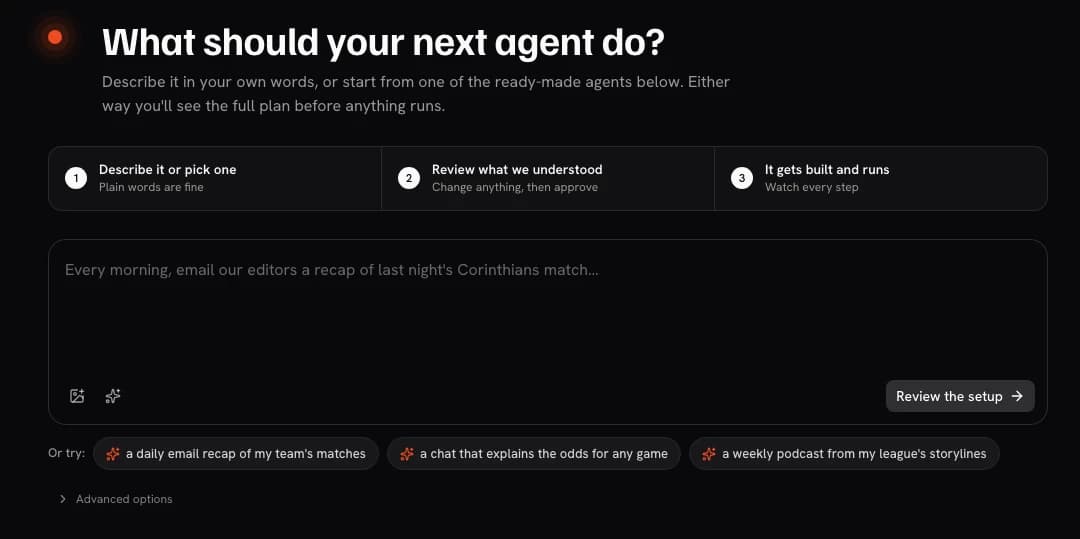
Studio is the workspace for configuring and running the agents and workflows behind a sports product. It keeps sources, activity, failures, and usage visible to the operating team.
Traceable draft activity for the team to review and deliver through its configured process.
Arena gives teams a structured way to define relevant tasks and criteria, compare configurations, and use the resulting evidence to inform a human decision.
A comparison record that supports a human configuration decision.
The Router separates a product's model-facing request path from one hard-coded model choice. Teams configure providers and profiles for their requirements, then route requests according to task and operating constraints.
A model response served through the configured route, inside the surrounding workflow controls.
Bring your idea, connect your context, and shape the experience your audience will use.
Evidence and resources
A tournament showcase and a practical guide to evaluating sports AI.
A read-only tournament build with published API and developer-preview agent documentation.
A practical buyer guide to grounding, freshness, governance, observability, and deployment evidence.
Buyer FAQ
Machina helps teams create fan experiences, matchday content workflows, and internal sports tools around a specific audience, output, and operating process.
Start with one useful moment: who it serves, what it should produce, which sources it can use, where review happens, and how the result reaches its destination.
Machina can connect fan and CRM data, news and social sources, owned media, live sports feeds, and internal knowledge. Coverage, freshness, and permitted use follow the sources configured for each deployment.
Your team defines the review process for each workflow. Editorial, compliance, or operational owners can inspect and approve outputs before delivery where the use case requires it.
Start a free trial with 100K tokens at factory.machina.gg/c, or book a guided build around a specific app or agent.
Turn a concrete idea into a reviewable experience, then map the integrations, evaluation, and operating path to launch.
The World Cup 2026 APIs showcase is a read-only archive of a concluded tournament build, with its API specification and developer-preview MCP documentation. The evaluation guide covers grounding, freshness, governance, observability, and deployment evidence.
Use the Machina SDK and published APIs for general integration. Sports Skills is the open-source developer path. MCP documentation currently applies only to the World Cup Intelligence showcase and remains a developer preview.
Bring the idea
Show us the fan experience, content workflow, or team tool you want to put to work.